


LicenGold
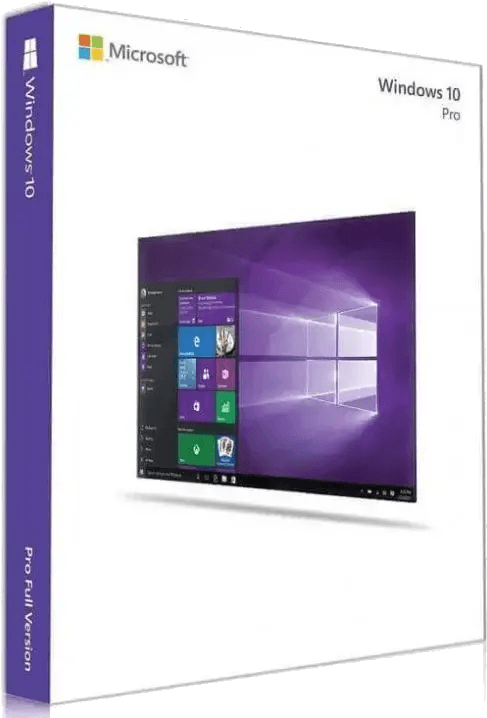
Windows 10 Professional License – Retail Key | Instant Delivery
Windows 10 Professional License – Retail Key | Instant Delivery
Det gick inte att ladda hämtningstillgänglighet
Read this before buying: Windows 10 security updates end on 13 October 2026.
Mainstream support ended on 14 October 2025. The consumer Extended Security Updates programme covers machines until 13 October 2026 and cannot be extended further. After that date, newly discovered vulnerabilities stay unpatched permanently.
The good news: this Retail key activates Windows 11 Pro too. If your PC meets the Windows 11 requirements, buy this key, and upgrade whenever you are ready — at no extra cost.
Windows 10 Professional — Retail licence key
A transferable single-PC licence, delivered by email within minutes. Retail means the licence belongs to you, not to the machine: if you replace your computer, you can move it across.
What you get
- Your product key, delivered by email (usually within 1–5 minutes)
- The official Microsoft ISO download link
- A step-by-step activation guide
- An invoice, sent automatically
- Key replacement or full refund within 24 hours if activation fails
Should you buy Windows 10 or Windows 11?
Honest answer: in most cases, Windows 11. Windows 10 makes sense in exactly two situations:
- Your hardware fails the Windows 11 check — no TPM 2.0, unsupported CPU. Check with Microsoft's PC Health Check tool before deciding. Note that many PCs fail only because fTPM (AMD) or PTT (Intel) is switched off in the BIOS; enabling it often makes the machine eligible.
- You depend on software or hardware that will not run on Windows 11 — legacy industrial equipment, an old peripheral with no Windows 11 driver.
Outside those cases, Windows 11 Pro Retail costs about the same and stays supported for years longer.
Retail vs OEM — which one is right for you
- Retail (this licence): transferable. Move it to a new PC whenever you like. Choose this if you upgrade or rebuild your machines.
- OEM: permanently locked to the first PC it activates on, and cheaper for that reason. Fine for a fixed desktop you will keep as-is.
What Windows 10 Pro adds over Home
BitLocker drive encryption, Remote Desktop (host), Hyper-V, Group Policy Management, and Active Directory / Azure AD domain join.
System requirements
- Processor: 1 GHz or faster
- RAM: 2 GB (64-bit)
- Storage: 20 GB free
Frequently Asked Questions
Can I use this Windows 10 Pro key to activate Windows 11 Pro?
Yes. A Windows 10 Pro Retail key activates Windows 11 Pro. You can either upgrade an existing Windows 10 installation through Windows Update, or perform a clean install of Windows 11 Pro and enter this key during setup. Your PC must meet the Windows 11 requirements: TPM 2.0, Secure Boot, a supported 64-bit CPU, 4 GB RAM and 64 GB storage.
When exactly does Windows 10 stop receiving security updates?
13 October 2026 for consumer machines enrolled in Extended Security Updates. Mainstream support already ended on 14 October 2025. Business customers can extend further through the commercial ESU programme, up to October 2028 at most. After the applicable date the operating system keeps running normally, but no new security patches are issued.
What is the difference between a Retail and an OEM licence?
A Retail licence is transferable: you can deactivate it on one PC and move it to another, including after a motherboard replacement. An OEM licence is permanently bound to the first machine it activates on and cannot be moved. OEM is cheaper precisely because of that restriction.
How many PCs can I activate with this licence?
Can I use this key to upgrade Windows 10 Home to Pro?
Yes. Go to Settings → Update & Security → Activation → Change product key and enter it. The edition upgrade happens in place: your files, applications and settings are kept.
What happens if the key does not activate?
Send us your order number and a screenshot of the error code. We verify it and either send a working key or refund you in full, within 24 hours. Most failures come from entering a Pro key on a Home installation or from an activation server timeout, and both are quick to resolve.
Share
Related guides
Still deciding? These step-by-step guides answer the most common questions.
Everything went smoothly—clean install, quick activation, and stable performance.
Great long-term purchase. Windows has been running without any issues.
Great long-term purchase. Windows has been running without any issues.
Transferred to a new machine and it worked as expected. Very happy.
Transferred to a new machine and it worked as expected. Very happy.